Gemini Notebook adds external-sharing controls in the Admin console
Google Workspace administrators can choose four external-sharing levels by domain, organizational unit, or group, with sharing off by default.
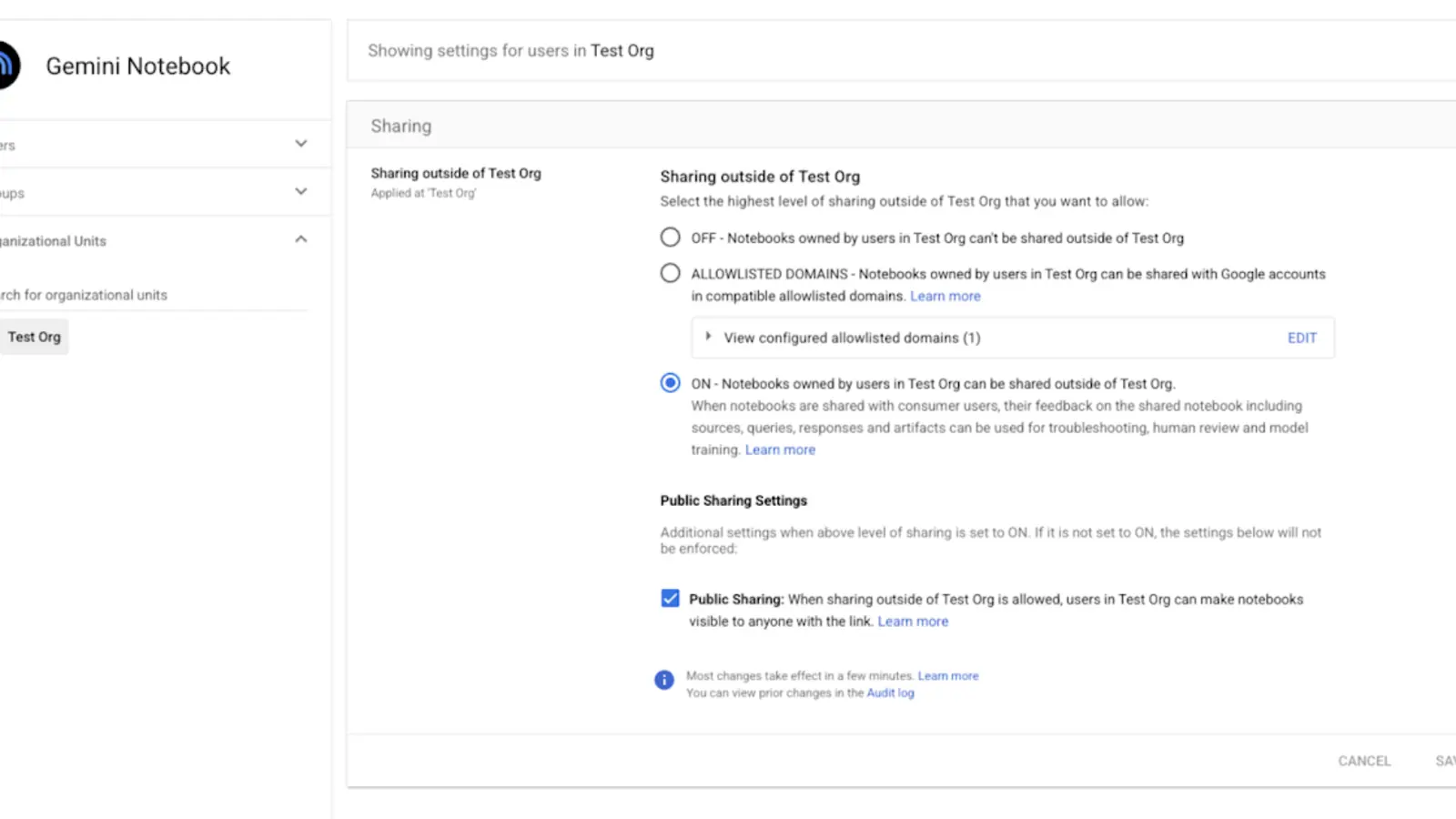
Google Workspace administrators can set Gemini Notebook external sharing to one of four levels: off, trusted domains, specified external email addresses, or public links. Policies can be scoped to a domain, organizational unit, or group.
Best for: Organizations using Gemini Notebook with internal, partner, or customer documents and needing granular sharing policy.Points for a team pilot
What changed
Administrators can select an external-sharing policy in the Admin console and scope it by domain, OU, or group, separating partner-facing teams from groups that should remain internal-only.
Availability and limits
Google began the rollout on September 10 and says it can take up to 15 days. It is available across Google Workspace editions and defaults to Off. Plan availability does not mean every administrator sees the setting on day one.
Implications for Thai organizations
Match trusted domains to the partner's legal entity and avoid public links for notebooks containing customer data, contracts, or personal information. Sharing policy should sit alongside classification, ownership, and membership reviews.
Dates and evidence
The announcement and rollout start date is September 10, 2026. No separate source-update date was found.
Before getting started
- Keep Off for general groups initially
- Maintain a trusted-domain allowlist
- Separate partner collaboration into an OU or group
- Block public links for restricted data
- Test with an external account and review logs
Frequently asked questions
Will every account see it immediately?
No. Google describes a rollout of up to 15 days, and administrators still select the policy.
Does a trusted domain replace file-level review?
No. It is one control layer; organizations still need to review ownership, sources, members, and personal data.
Sources used for verification
Vendor facts are separated from TechTouch guidance. Features, pricing, and commercial terms may change, so confirm the latest information at the time of purchase.