Gemini Notebook for Business: Security, Sharing, and Procurement
A governance guide to using Gemini Notebook—the new name for NotebookLM—with organizational documents.
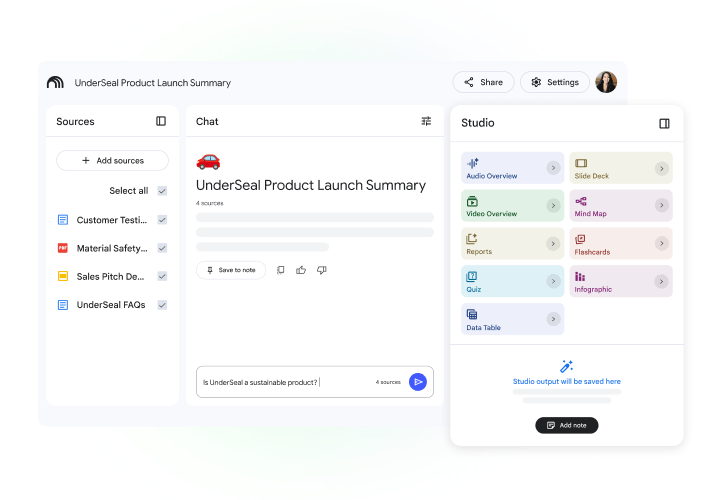
Gemini Notebook is useful for source-grounded synthesis with citations. Organizations should define notebook ownership, sharing, allowed information, and human review before production use. Google states that Workspace data is not used to train models without permission.
Best for: Teams reviewing tenders, policies, manuals, reports, and internal knowledge with source-grounded AI.Plan sources and answer verification
Import capacity is a limit, not an accuracy guarantee. Verify citations separately.
- Words per source
- 500,000
- Per uploaded file
- 200 MB
- Sources per notebook · Free
- 50
Limit for each source
Uploaded files must also meet the size limit
Check account limits for other plans
Choose sources
Approved, current material
Set access
Notebook owner and collaborators
Check citations
Verify against original documents
Compare before deciding
Start with information, not prompts
Safety and quality depend on source selection and permissions. Use approved material and remove unnecessary sensitive data.
Use citations as checkpoints
Review meaning, date, and context against source documents, especially for legal, procurement, and policy work.
Quotation preparation checklist
- Workspace edition
- Owners and users
- Source classification
- Sharing rules
- Output reviewer
- Retention period
Frequently asked questions
What is NotebookLM called now?
Google now calls it Gemini Notebook.
Is it included in Workspace?
Google says it is included in Workspace plans, with limits and features varying by edition.
Is Workspace data used for training?
Google states Workspace data is not used to train models without permission.
Sources used for verification
Vendor facts are separated from TechTouch guidance. Features, pricing, and commercial terms may change, so confirm the latest information at the time of purchase.