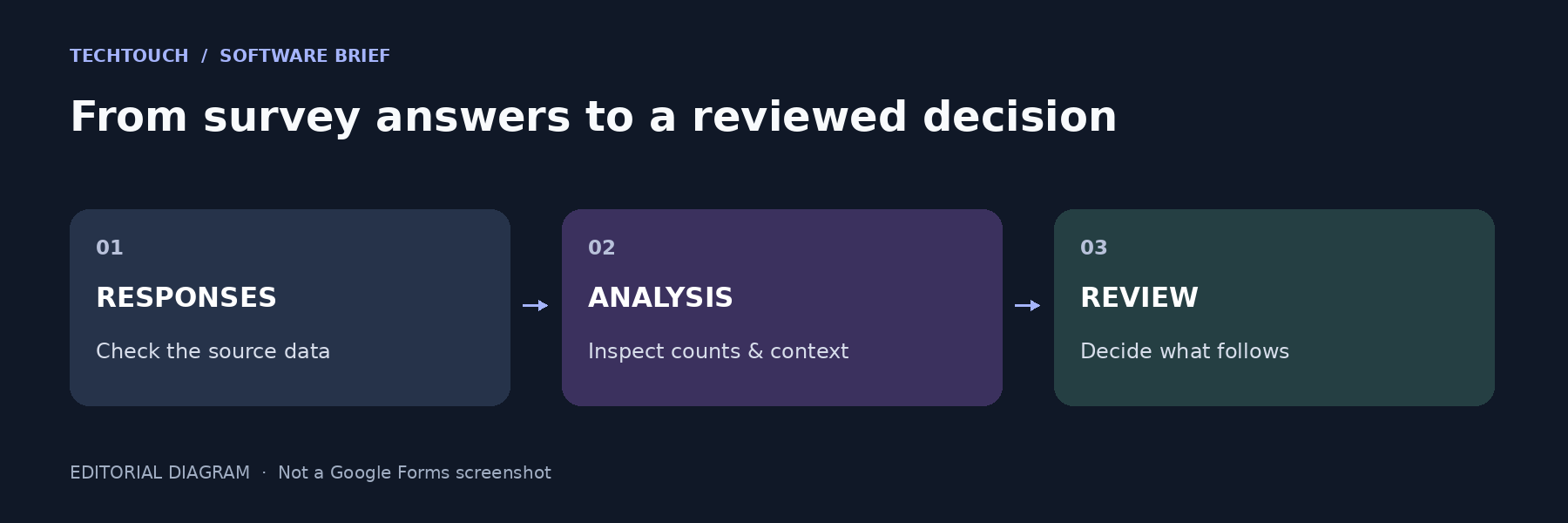
Original TechTouch diagram: survey responses → analysis → review; not a Google Forms screenshot
Original TechTouch diagram: survey responses → analysis → review; not a Google Forms screenshotOriginal image: TechTouch ↗
SOFTWARE · AI DATA ANALYSIS

Gemini in Google Forms analyzes responses with Python and suggests next steps

Google’s November 5 Actionable Insights announcement: how to use it, the 12-response/3-question minimum and why release tracks matter.

Google announced Actionable Insights for Forms on November 5, 2026. Gemini analyzes responses from the Responses tab and recommends follow-up actions; Google says it writes and runs Python to calculate from the data. Availability depends on rollout, eligibility and minimum data requirements, so the summary still needs checking before it informs a decision.

The key points

  • Generate insights and Analysis steps are in Responses
  • At least 12 responses and 3 questions; Quiz settings are excluded
  • Rapid Release started November 2; Scheduled Release starts November 19

From reading individual answers to deciding what to examine

Google describes cross-question analysis that runs Python and produces takeaways and recommendations inside Forms. TechTouch’s analysis: the useful shift is reducing the distance between raw answers and a practical question, such as which participants need more support. That convenience should preserve a path back to original responses. Computing on actual data does not establish that a number has the right definition or that a recommendation fits the survey’s purpose. Start with a question the survey can reasonably answer.
Where to start, and why access may be unavailable

The help guide directs desktop users to Responses → Actionable Insights → Generate insights, then Analysis steps. It requires at least 12 responses and 3 questions, excludes forms with Quiz settings, and is unavailable when an attached spreadsheet is inaccessible to the user. TechTouch recommends checking these conditions before changing subscriptions or widening file sharing. Keep a record of the form type and relevant permissions so an unavailable button can be investigated without exposing more response data than necessary.

Publication date and deployment date are different

The November 5 announcement says Rapid Release began November 2; Scheduled Release begins November 19, with up to 15 days for visibility. Listed business editions are Business Standard/Plus and Enterprise Standard/Plus, alongside eligible education and Google AI plans. Smart features and personalization must be enabled. TechTouch recommends checking the actual account and release track. Do not infer immediate universal access from a news date, or assume that Business Starter has the same entitlement as the listed editions.

A correct calculation can still use the wrong denominator

Consider this illustrative TechTouch example: an event survey has complete satisfaction answers but blanks for activities that some people never attended. Using every response as the denominator could answer a different question from satisfaction among participants in that activity. Before accepting a percentage, inspect missing data, duplicates, multiple-choice behavior and the collection period. Compare at least one reported count with a simple independent count. This is an evaluation method, not a benchmark or a claim that we tested Google’s feature on a customer dataset.

Do not borrow limits from a different feature

The help page separates text-response summaries, theme generation and Actionable Insights. Limits documented for one section should not be transferred to another as a universal ceiling. TechTouch suggests keeping the button name, output type and eligibility rule together in internal instructions. In a published survey report, separate respondent statements, calculated quantities and AI recommendations. That makes a review more useful than a single blended narrative and helps another analyst identify which conclusion actually follows from the source material.

A suggested action still needs an accountable owner

Google warns that Gemini can provide inaccurate or inappropriate information. TechTouch recommends assigning an owner, documenting the data behind an action and defining how its outcome will be checked. A cross-question relationship should not become a judgment about an individual. Review access before sharing summaries, and avoid personal or confidential details in product feedback. This article reflects documentation checked November 6; it does not claim hands-on testing against readers’ forms or customer data.

Details and limitations

StageOutputWhat to verify
CalculateCounts, percentages and comparisonsDenominators, blanks and duplicate responses
InterpretTakeaways and cross-question relationshipsCorrelation does not establish causation
ActSuggested next stepsAn accountable owner and supporting evidence

Things to know and check

  • Check release track, eligibility and smart features
  • Confirm 12 responses, 3 questions and linked-sheet access
  • Verify counts and denominators against source answers
  • Assign a reviewer and an owner for proposed actions

Sources used for verification

Vendor facts are separated from TechTouch guidance. Features, pricing, and commercial terms may change, so check dates and conditions at the original source.

  1. Google Workspace Updates — 5 November 2026
  2. Google Docs Editors Help — checked 6 November 2026
Our editorial approach

Frequently asked questions

Does Actionable Insights support quizzes?

The help page excludes forms with Quiz settings enabled.

Should every eligible user see it at the same time?

No. Account eligibility, minimum data, permissions and the domain’s rollout track still matter.

Google Workspace and GeminiAI data and privacy