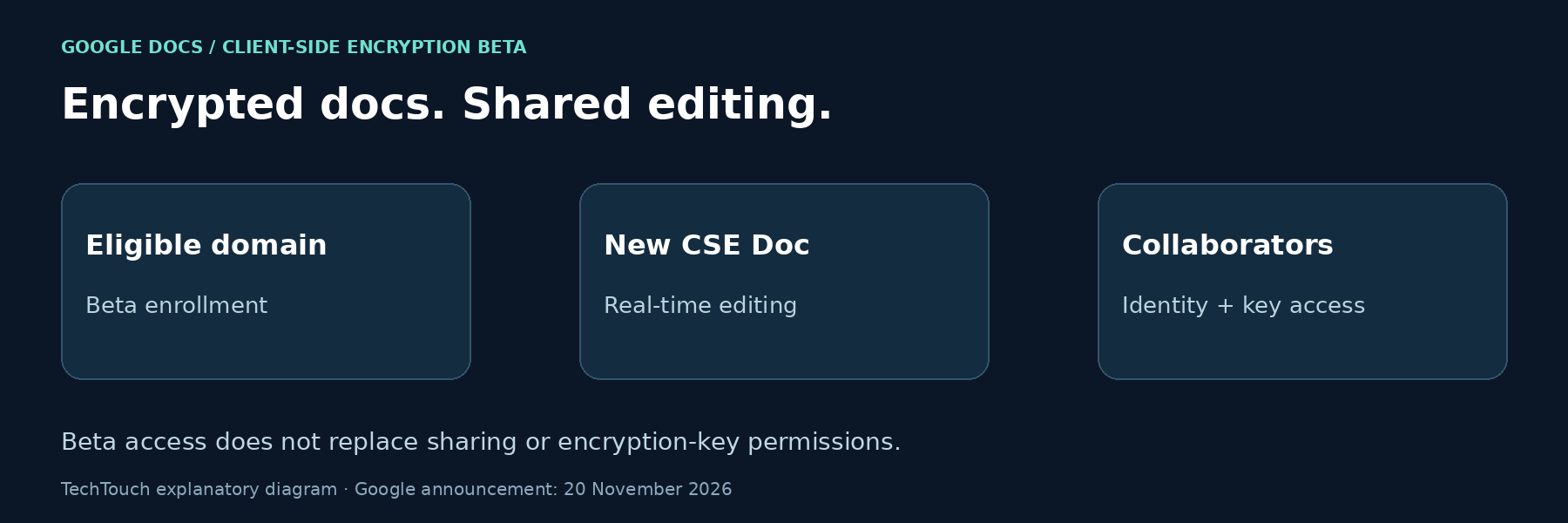
Beta domain enrollment, new CSE documents and collaborators with key access remain separate requirements
Beta domain enrollment, new CSE documents and collaborators with key access remain separate requirementsOriginal image: TechTouch ↗
Security · Collaboration tools

Google Docs opens a CSE real-time collaboration beta: separate domain, file and key access

The November 20 beta brings simultaneous work to newly created encrypted Docs in enrolled domains. A four-case worksheet explains what to verify.

Google announced a real-time collaboration beta for client-side encrypted Docs on November 20, 2026. Eligible domains need allowlisting before creating the new RTC-enabled encrypted documents. This is a beta boundary, rather than a general change to every account or existing encrypted file.

The key points

  • Distinguish creating a beta document from joining one that is shared
  • Check file permission and access to encryption keys separately
  • Use fictional material before comparing concurrent edits

What changed, and what still requires enrollment

The announcement makes enrollment the starting point: an eligible administrator requests beta access for a test or production domain. Once allowlisted, newly created CSE Docs use real-time collaboration by default. Listed editions include Enterprise Plus, Education Standard and Plus, Frontline Plus, and Assured Controls offerings. Read the beta application and onboarding conditions before choosing a domain.

An authorized user with key access can join an existing RTC Doc shared with them even if their own domain is not enrolled. Joining a document therefore does not establish permission to create beta documents. Record the two outcomes separately rather than treating a successful invitation as evidence of organization-wide availability.
Encryption control still leaves an endpoint question

Google’s admin overview describes CSE as an additional layer over Workspace’s normal encryption, with customer control over access and keys. Desktop guidance requires an appropriate work or school account, administrator enablement and identity verification to create or copy encrypted files.

The desktop help also identifies endpoint limits: sufficiently privileged applications or extensions may see content, and encryption cannot prevent someone from viewing a screen.

TechTouch analysis: distinguish who can decrypt a document from whether each collaborator’s device is ready for the work. A smooth shared-editing session does not review extensions, screen sharing or the team’s procedures for handling output.

Why general help still describes waiting to edit

At the review date, the general encrypted-file collaboration page still described turn-taking and Wait to edit. The new announcement defines a specific RTC Docs beta. Preserve that distinction: do not infer that every existing encrypted document changed, or extend a Docs announcement into an equivalent Sheets or Slides rollout.

TechTouch analysis: write down whether the test uses a new or existing document, which setup instructions were followed, and which onboarding material the administrator received. If two users encounter different behavior, investigate the accounts and sample file before changing a domain-wide policy. For an enrolled organization, its beta onboarding should supply the actual acceptance requirements.

A fictional four-case pilot before internal documents

TechTouch example: obtain approval to use an organization-provided test domain and the test accounts in the table. Create a one-page fictional meeting note with a heading, meeting date and three tasks. Use invented project names throughout. Ask the first editor to change a subheading, the second to add a deadline, and both to respond to the same comment. Keep the task small enough that a reviewer can inspect every expected change.

Before starting, record the file creator, enrolled domain, account roles and identity-verification steps. Capture evidence containing only the fictional material after each action. Wait for the displayed save state, close the document and open it again. Confirm the heading, date and task list still agree. Seeing another person’s cursor alone is insufficient evidence that the intended result was preserved.

For the cross-domain case, have an administrator prepare a permitted relationship in advance. For the excluded-account case, check that the intended restriction holds. Keep a denial message as a valid test result; do not broaden permissions or weaken a requirement just to make every row green. This exercise has not been run against a live beta account.

Separate collaboration results from an operational approval

TechTouch analysis: report three outcomes independently: correct access, preserved content after saving, and limitations in the workflow the team actually needs. If the work includes attachments, comment handoffs or copies, add an authorized test for that specific action. A successful paragraph edit should not stand in for a document’s entire lifecycle. Retain the same fictional fixture for later checks when beta behavior or configuration changes. Agree who owns ending the pilot before widening its use.

Details and limitations

Fictional caseWhat to inspectAcceptance evidence
Creator in enrolled domainCreate a new encrypted document using onboarding guidanceNew file, encryption state and creator account
Two authorized editorsEdit separate paragraphs and discuss one commentMatching content after saving and reopening
Authorized collaborator in another domainConfirm invitation and key access before joiningAccount, role and readable failure explanation
Account excluded by the test policyKeep the administrator’s intended restrictionNo test content displayed; no permission expansion to force a pass

Things to know and check

  • Confirm domain approval rather than relying on an edition name
  • Distinguish an RTC-capable file from general encrypted Docs
  • Record file and key access for each collaborator case
  • Inspect saved content after reopening and retain limitations

Sources used for verification

Vendor facts are separated from TechTouch guidance. Features, pricing, and commercial terms may change, so check dates and conditions at the original source.

  1. Google Workspace Updates · CSE Docs collaboration beta · 20 Nov 2026
  2. Google Workspace Admin Help · About client-side encryption
  3. Google Docs Help · Encrypted files on desktop and endpoint limits
  4. Google Docs Help · General encrypted-file collaboration guidance
Our editorial approach

Frequently asked questions

Is this enabled for every account?

It remains an allowlisted beta. Check the organization’s enrollment conditions and onboarding.

Must every collaborator’s domain enroll?

The announcement allows authorized users with key access to join a shared RTC Doc from a non-enrolled domain. That does not automatically grant beta file-creation access.

Has TechTouch tested a live account?

No. This is a fictional acceptance exercise, not a performance result or security certification.

Workspace Studio collaboration controls