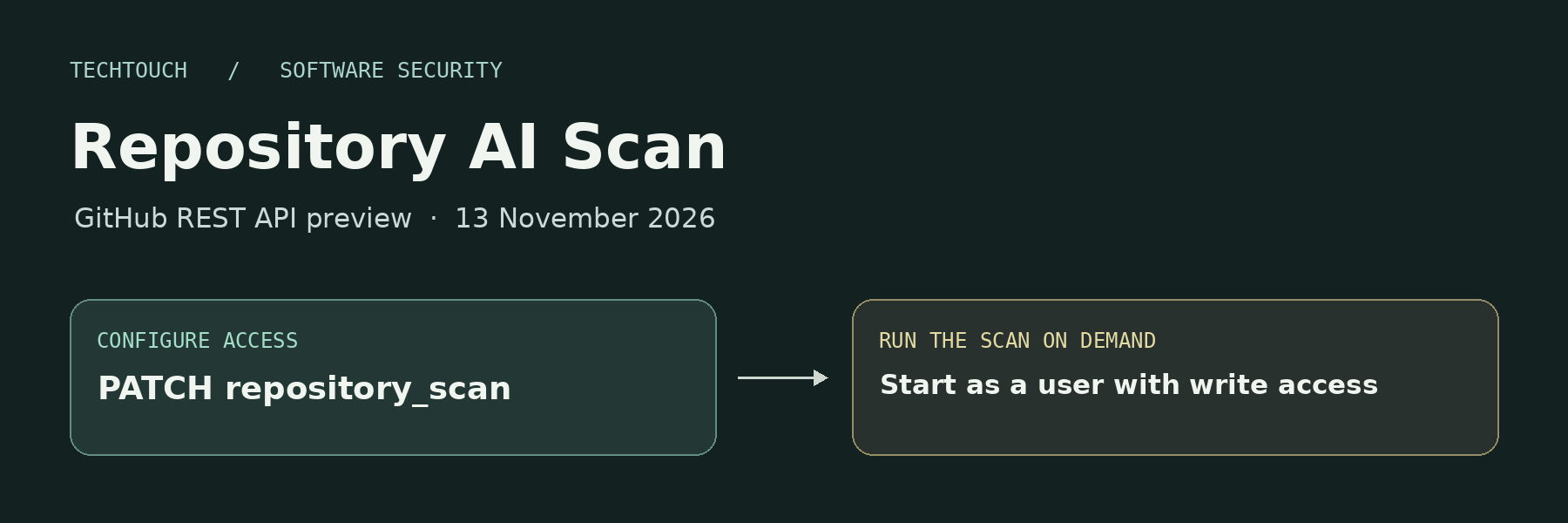
Diagram separating the repository_scan permission update from starting an on-demand scan
Diagram separating the repository_scan permission update from starting an on-demand scanOriginal image: TechTouch ↗
Software security · GitHub

GitHub previews REST controls for repository AI Scan. How to verify a rollout

GitHub adds repository_scan to code scanning settings at organization and repository level. Test inheritance, policy rejection and on-demand execution.

On November 13, 2026, GitHub opened a public preview for reading and changing repository AI Scan settings through its REST API. Administrators can configure access across an organization and at individual repositories. Scans still run on demand and consume GitHub Code Security AI credits.

The key points

  • repository_scan controls scanning an existing repository. pr_scan applies to pull requests.
  • When an organization enables repository scanning, repositories inherit the setting and can opt out.
  • When policy blocks a combined update, the request leaves both settings as they were.

What the new setting controls

The existing endpoint exposes pr_scan for pull request AI Scan. The preview adds repository_scan for granting access to scan code already in a repository. Use GET to read settings and PATCH to update them at /orgs/{org}/code-scanning/ai-scan or /repos/{owner}/{repo}/code-scanning/ai-scan. Each setting takes enabled or disabled.

GitHub says users with write access still start repository scans on demand, and each scan consumes Code Security AI credits. A successful PATCH verifies a setting change. Check an actual scan run separately for findings and consumption.
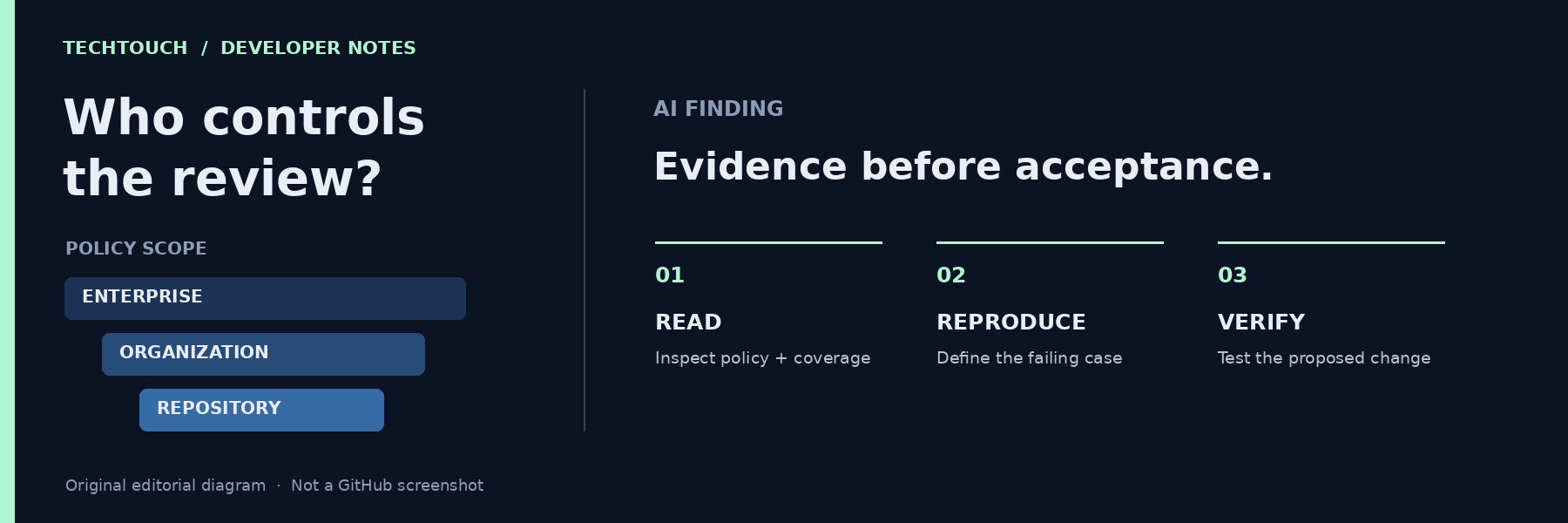
Organization and enterprise policies control access

GitHub gives organization owners and security managers control of the organization setting. Repositories can inherit a grant and opt out individually. When an organization disables repository scans, a repository cannot override that policy. Enterprise restrictions can reject enablement with a 422 response.

GitHub lists organization-owned public repositories and eligible private or internal repositories with GitHub Code Security or GitHub Advanced Security. Enterprise policy must allow AI Scan where applicable. The preview announced on November 13 excludes GitHub Enterprise Server.

Capture both settings before a one-field trial

TechTouch recommendation: use a sandbox where policy tests are authorized. GET the organization and two repository settings and record the time. Use one repository to test inheritance and the other to test opting out. Start with a PATCH containing only repository_scan, then read both fields back and compare pr_scan to the recorded value.

For a fine-grained credential, check the permission listed for the specific endpoint, scope and operation in the REST docs. Keep the repository, status and response code in your test notes. Confirm the resulting setting before treating the change as applied.

Check a rejected update, then run a separate scan

In an authorized sandbox with AI Scan disallowed at enterprise level, take a baseline and submit a PATCH attempting to enable both settings. GitHub says that if either change is blocked, the API responds with 422 and leaves both fields as they were. Read them back to confirm. After validating enablement on an approved repository, have a user with write access start one scan and record its runtime, result and actual credit use. Pause a batch rollout when readback disagrees with the intended policy.

Details and limitations

Policy or actionExpected behaviorEvidence to record
Organization disables repository_scanRepository-level enablement is blockedParent setting and PATCH result
Organization enables repository_scanRepositories inherit and can individually opt outOrganization setting and two sample repositories
Enterprise disallows AI ScanEnablement returns 422Values before and after the rejected request
Scan access enabledWait for a user with write access to start a scanPolicy state and scan record once started

Things to know and check

  • Confirm entitlement and enterprise policy before changing settings
  • Record organization and repository values with GET
  • Test inheritance, opt-out and a blocked request in a sandbox
  • Check scan execution, findings and credit use after starting a scan

Sources used for verification

Vendor facts are separated from TechTouch guidance. Features, pricing, and commercial terms may change, so check dates and conditions at the original source.

  1. GitHub Changelog · Repository AI Scan settings · 13 Nov 2026
  2. GitHub Docs · Code scanning REST API
  3. GitHub Docs · AI Scan for a repository’s backlog
Our editorial approach

Frequently asked questions

Does this preview support GitHub Enterprise Server?

GitHub excludes Enterprise Server from the repository AI Scan API preview.

Does enabling the setting start a scan?

A user with write access starts the scan on demand. Each run uses Code Security AI credits.

Managing Copilot code review through the API