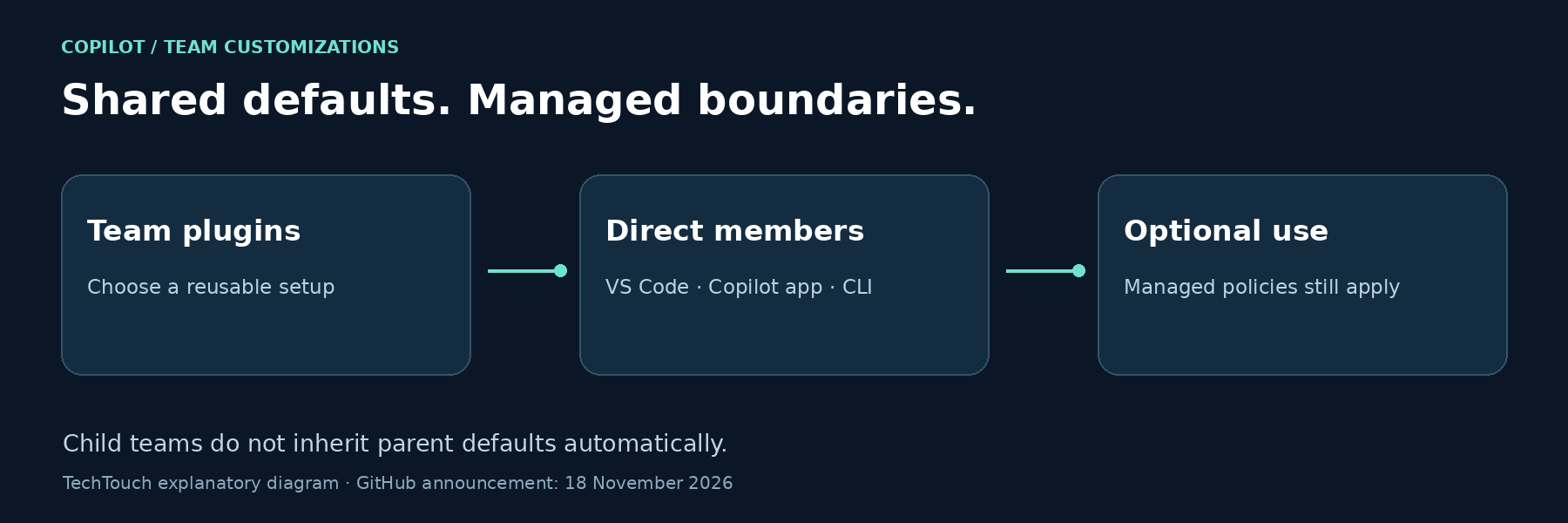
Copilot team plugin defaults reach direct members, remain optional under managed policies, and do not automatically flow to child teams
Copilot team plugin defaults reach direct members, remain optional under managed policies, and do not automatically flow to child teamsOriginal image: TechTouch ↗
Developer tools · AI configuration

GitHub Copilot adds team plugin defaults, with organization policy still in control

GitHub’s November 18 team customization release explained through membership scope, supported clients and a fictional pilot worksheet.

GitHub made team customizations generally available for Copilot Business and Enterprise on November 18, 2026. Team maintainers and organization owners can select plugin defaults for direct members in VS Code, the Copilot app and CLI. Child-team members do not inherit them, and organization policy takes precedence.

The key points

  • Add a marketplace to browse it, then select individual plugins
  • Check direct membership separately from the child-team hierarchy
  • Verify effective plugin status and policy in the clients people use

Where a team’s shared starting point lives

The announcement directs a team maintainer or organization owner to the team’s Customize Copilot tab on github.com. Browse the available marketplaces or add a team source, then choose individual plugins. Registering a marketplace does not enable its entire contents. These are optional defaults, and members may disable them when policy allows.
What a plugin packages, and why client support matters

GitHub’s plugin documentation describes bundles of skills, custom agents, hooks and MCP server configurations. Components vary by format and client. A familiar plugin name alone therefore leaves a practical question: which parts will work on the surface where the developer starts a session?

In VS Code, inspect the Plugins page under Customize. The CLI provides copilot plugin list to inspect installations, and disable to switch a plugin off without uninstalling it. Record the effective enabled state rather than treating an installation inventory as evidence that the workflow is ready.

Check the policy layer separately

Enterprise-managed settings document enabledPlugins for requiring or blocking plugins, alongside marketplace controls. Private marketplace repositories require appropriate read access. VS Code exposes a managed state when enterprise policy prevents a member from changing a plugin’s toggle.

TechTouch analysis: distributing configuration does not demonstrate access to an external service. Inspect the account, permissions and tools used by each selected plugin before bringing in real data. A bundle can combine written guidance with components that run programs or interact with other systems, so reviewing only its description gives an incomplete picture.

A fictional pilot: a documentation team with four cases

TechTouch example: set up a small pilot for drafting release notes from a fictional repository. Choose one reviewed plugin and give every tester the same three changes. Ask for an account of what was added, what was fixed and what remains unknown. Keep customer records and production integrations outside this exercise. The aim is to make differences in configuration visible while the task stays easy to check.

Prepare four cases using the table: a direct member, a person who belongs only to a child team, an account whose policy blocks the plugin, and a member who switches off an optional plugin. Record client name, version, account and visible plugin state before starting. If results differ, examine membership, marketplace access and effective policy before rewriting the prompt. Preserve an explanation for a blocked case instead of calling it a failed rollout.

Set acceptance criteria in advance. The draft must match all three changes, invent no release claims and make no external write calls. Keep a missing capability in the result as a limitation. A polished answer does not prove a specific plugin was used. This exercise is proposed guidance; TechTouch has not run it against a live Copilot account or measured onboarding time saved.

Keep a reviewable record after the initial setup

TechTouch analysis: assign an owner to the selected list, its rationale and the steps for restoring the previous configuration. After a plugin update, repeat the same fictional task and compare the accepted output. Record revisions and missing tools as carefully as successful drafts. That makes later changes easier to assess without attributing every difference to the underlying model.

Avoid adding several packages to solve a small task by habit. GitHub’s customization comparison distinguishes task-specific skills from MCP integrations that supply external tools. Start with the capability the workflow actually needs. Expand the pilot only when the configuration and its limits are understood in the clients the team intends to use.

Details and limitations

Fictional pilot caseWhat to checkEvidence to retain
Direct team memberSelected default appears in a supported clientAccount, client, version and plugin status
Child-team membership onlyDo not assume parent-team defaults applyActual membership and displayed configuration
Policy-blocked pluginTeam selection cannot bypass the restrictionPolicy explanation without tokens
Optional plugin switched offDistinguish installed from enabledState before and after a new session

Things to know and check

  • Check plan, configuration role and actual team membership
  • Review plugin contents and provenance before choosing a default
  • Retain evidence for normal and policy-blocked cases
  • Keep acceptance criteria and restoration steps before expanding the pilot

Sources used for verification

Vendor facts are separated from TechTouch guidance. Features, pricing, and commercial terms may change, so check dates and conditions at the original source.

  1. GitHub Changelog · Team customizations GA · 18 Nov 2026
  2. GitHub Docs · Plugins and supported components
  3. GitHub Docs · Enterprise-managed plugin settings
  4. GitHub Docs · Using plugins in Visual Studio Code
  5. GitHub Docs · Finding and managing Copilot CLI plugins
  6. GitHub Docs · Comparing Copilot customizations
Our editorial approach

Frequently asked questions

Does this require everyone in the organization to enable a plugin?

Team defaults sit underneath policy. Review the selected membership scope and organization requirements separately.

Does adding a marketplace establish an external connection?

Inspect the selected plugin, its enabled state and the service’s permissions. A source that can be browsed is not evidence that its data is accessible.

Has TechTouch tested this on a live account?

No. The pilot is a fictional acceptance exercise, not a measured account-readiness or performance result.

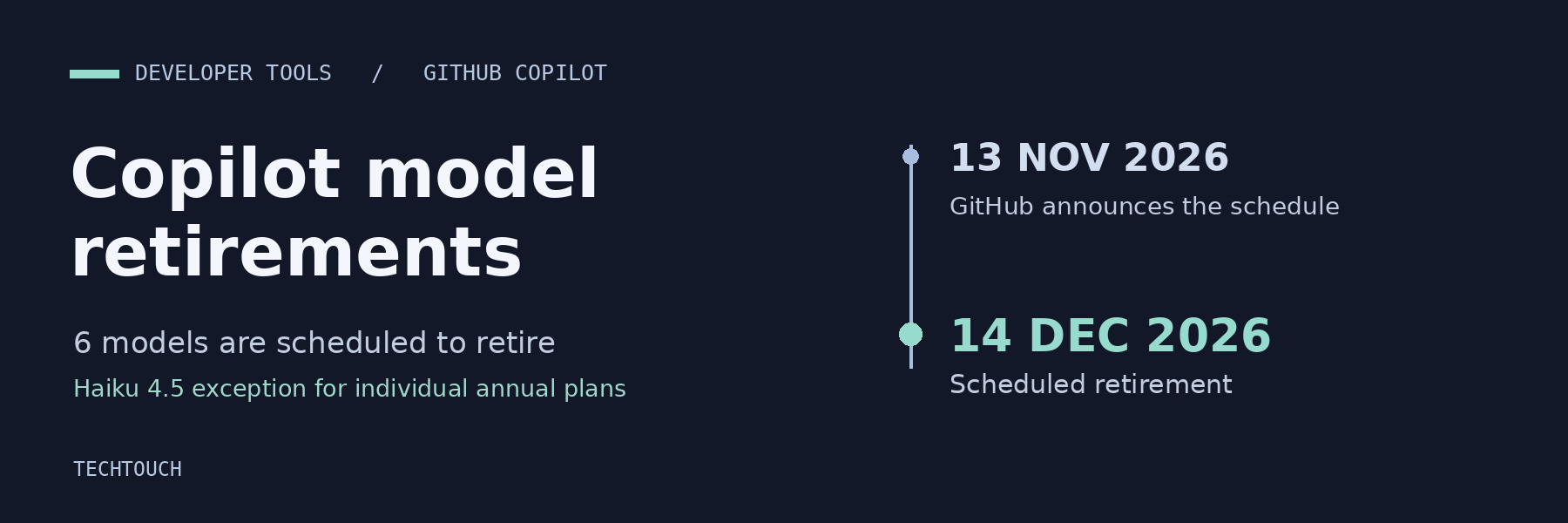
Copilot’s six-model retirement schedule